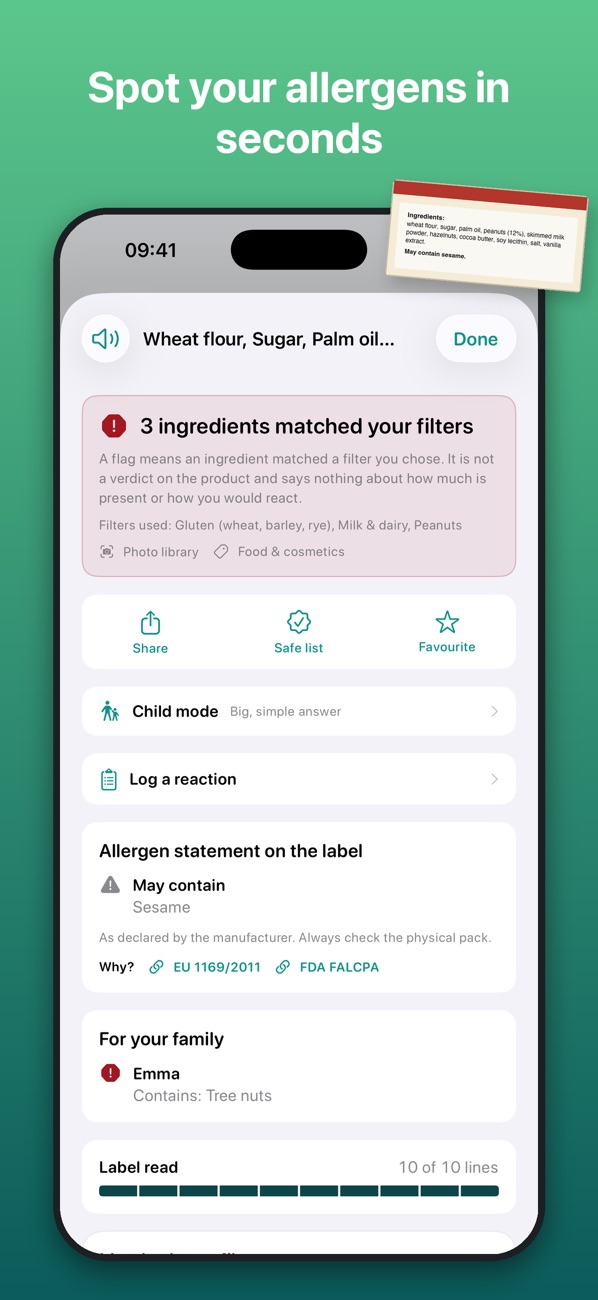
Point your camera at an ingredient list. IngrediLens reads it line by line and highlights what matches your allergies, diet and skin, including the “may contain” warnings that are easy to miss.
Set it up once for yourself or your child. After that, every label takes a glance.
Pick what to avoid
Allergens like gluten, milk, egg, peanut or sesame; diets like vegan or halal; or skin sensitivities for cosmetics.
Scan the label
Use the camera, a photo, pasted text or a barcode. Your allergens light up live in the camera view.
Read the answer
See each match, why it matched and where it came from, plus “contains” and “may contain” statements kept apart.
Built for the moments that matter
At the supermarket, at a restaurant abroad, or checking a new moisturiser.
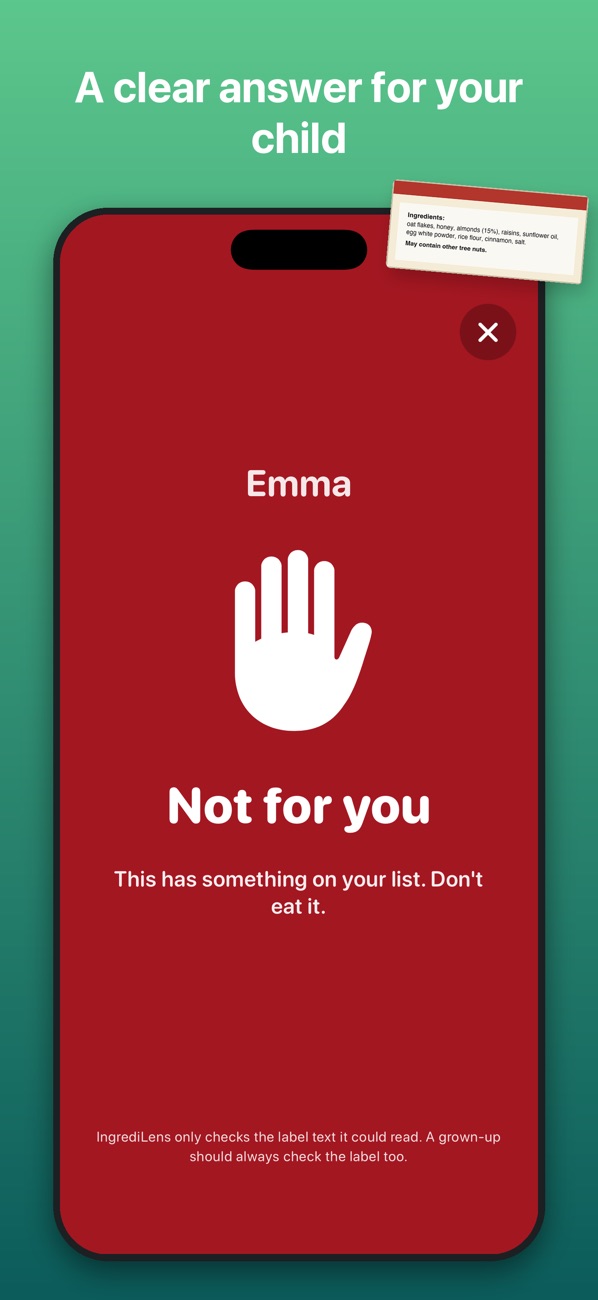
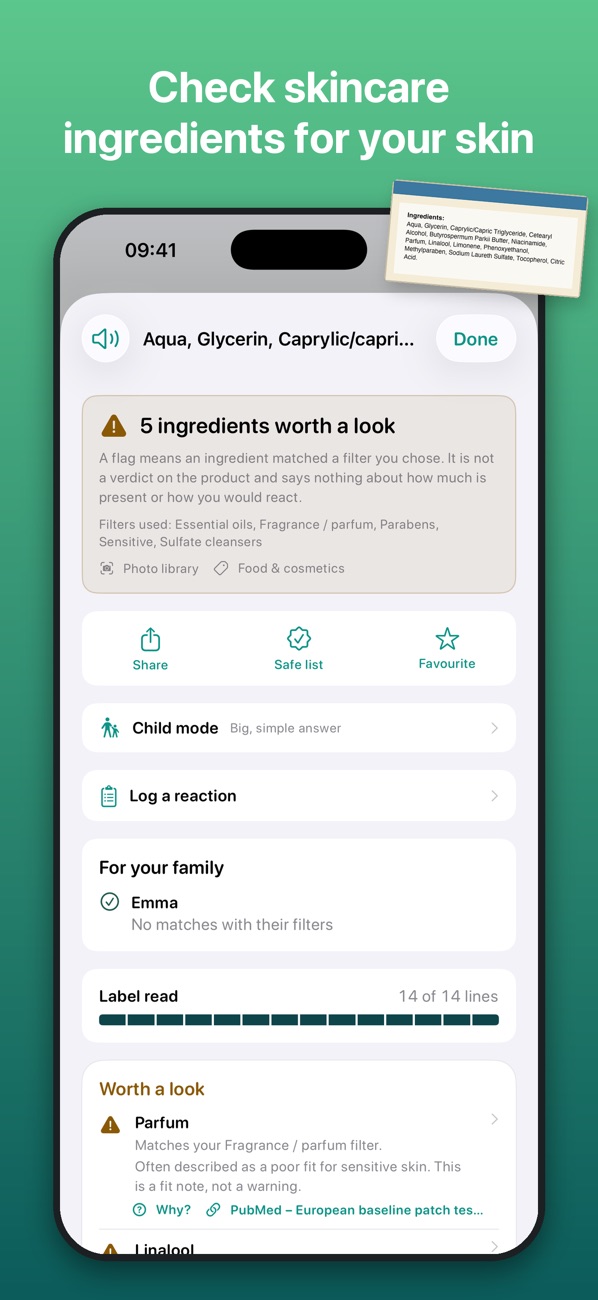
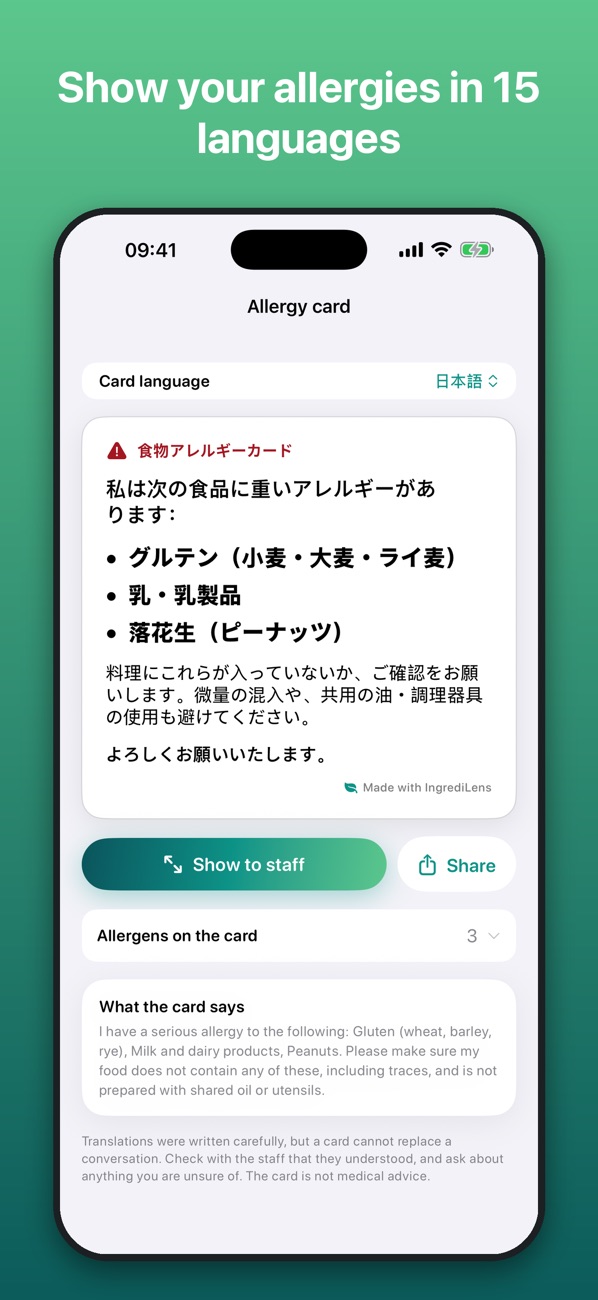
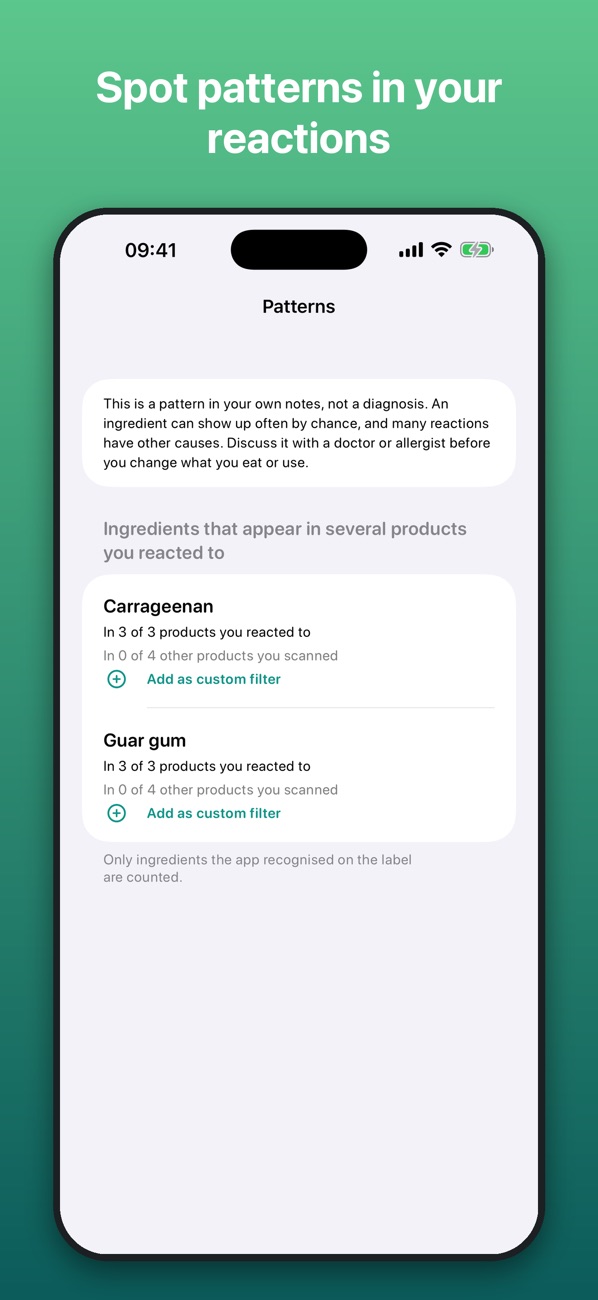
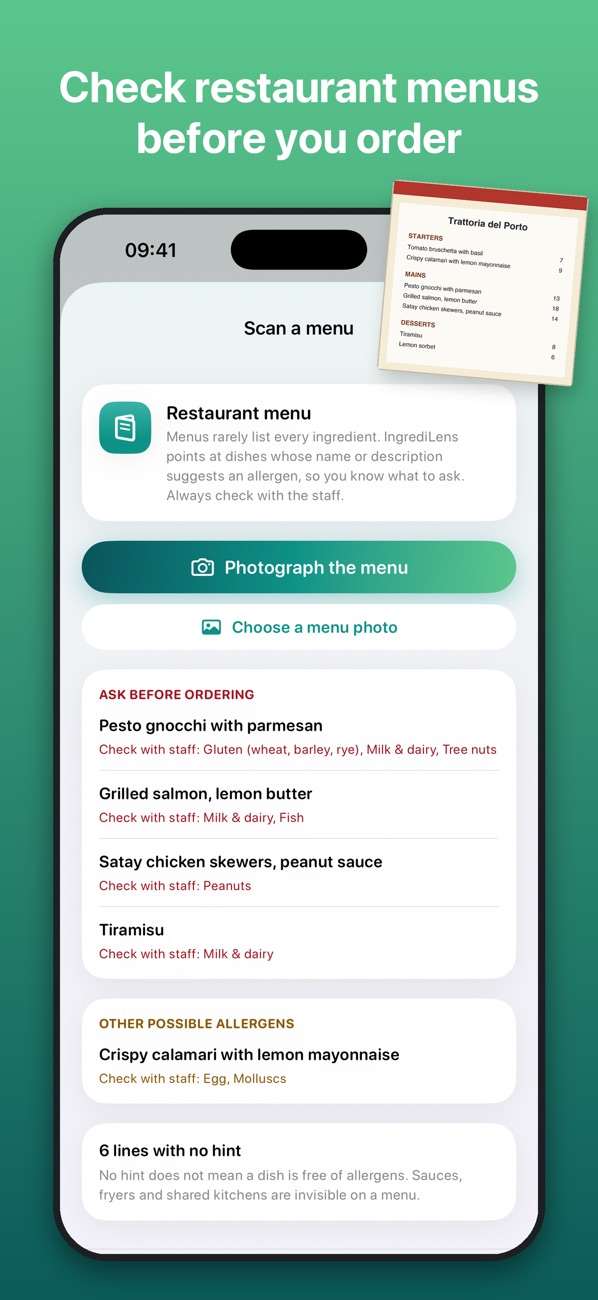
Spot your allergens in secondsA clear answer for your childCheck skincare for your skinAllergy card in 15 languagesSpot patterns in your reactionsCheck menus before you order
🌍
Six label languages
Reads English, Spanish, Portuguese, German, French and Italian labels, and shows them in your language when you travel.
⚠️
“May contain” included
Precautionary warnings are shown separately, so a trace warning never hides inside the ingredient list.
📚
24,000+ ingredients
A built-in database with cited sources from EU and US labelling rules, CosIng and the FDA. Works without a connection.
🍽️
Menus and allergy card
Photograph a restaurant menu to see dishes to ask about, and show staff a free allergy card in 15 languages.
🧴
Food and cosmetics
Filters for skin type, skin concerns, fragrance, pregnancy and common cosmetic sensitivities.
🔒
Private by design
Scans are processed on your phone. No sign-up, no ads, no tracking. Barcodes go to Open Food Facts only when you look one up.
Allergens and diets it knows
Covers the 14 EU allergens and the 9 US major allergens, with the hidden names that go with them (casein, whey, semolina, albumin…).
Gluten / coeliac
Milk
Egg
Peanut
Tree nuts
Soy
Sesame
Fish
Shellfish
Molluscs
Mustard
Celery
Lupin
Sulphites
Vegan
Vegetarian
Halal
Kosher
PKU
Pregnancy
Fragrance
Sensitive skin
Free tools, right in your browser
No app needed. Nothing you type leaves your browser.
🪪
Restaurant allergy card
Choose your allergens and print or save a card that tells restaurant staff, in their language, what you cannot eat. 15 languages.
Practical, sourced guides: hidden allergen names, what “may contain” really means, eating out with coeliac disease, travelling with allergies, and more.
Everything you need to check labels is free. Premium adds more filters and the tools families ask for.
Free
Unlimited scans
2 filters
Menu check and barcode lookup
Allergy card in 15 languages
E-number guide
Premium
Unlimited and custom filters
Family profiles and Kids mode
Safe products list and favourites
Reaction diary with patterns
School / caregiver card and doctor summary (PDF)
Monthly with a 3-day free trial, or yearly with a 7-day free trial. Prices are shown in the app before you subscribe.
Help & FAQ
Is IngrediLens medical advice?
No. It compares label text with the filters you chose. It cannot detect cross-contact and can miss things. Always read the physical label and talk to a qualified healthcare professional.
Does my allergy or diet information leave my phone?
No. Your filters, history and label text stay on your device. IngrediLens has no account, no ads and no tracking. See the privacy policy.
Which languages can it read?
Labels in English, Spanish, Portuguese, German, French and Italian. The allergy card is available in 15 languages.
How do I restore my subscription on a new device?
Open the paywall and tap Restore Purchases, using the same Apple Account you subscribed with.
How do I cancel my subscription?
Open the Settings app, tap your name, then Subscriptions, choose IngrediLens and tap Cancel Subscription.